
Ambience reverb
Aura
An ambience reverb modeled after classic gear.
- Free
- v1.1.2
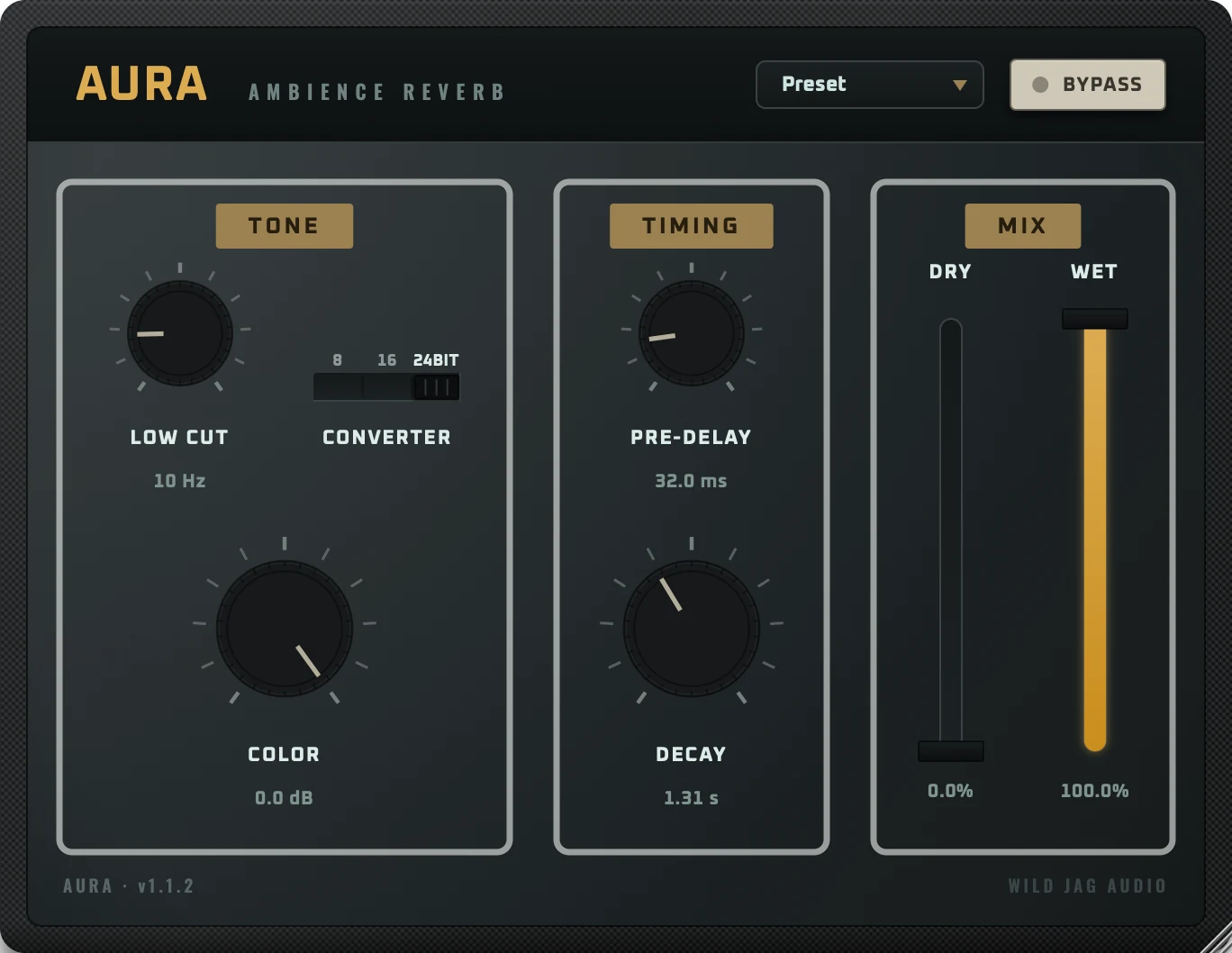
AuraAmbience reverb
Download
Free
No account or license key needed. AU · VST3 · AAX · Standalone · macOS.
About Aura
Aura is an ambience reverb modeled after classic gear: the short, dense room sound that sat behind a generation of records. It was built and calibrated from 10 captures of a real unit: the model's shape was fitted from the captures, and several of its values were then tuned against them by hand. In your DAW it appears as Aura Reverb.
Features
- Modeled after classic gear.
- Calibrated against 10 real hardware captures.
- Converter selector for 8, 16 or 24-bit character.
- Seven factory presets.
Controls
Tone
| Control | Range | What it does |
|---|---|---|
| Low Cut | 0–300 Hz | High-pass filter on the reverb. Off at 0. |
| Converter | 8, 16 or 24 bit | Bit depth of the emulated converters. |
| Color | −8 to 0 dB | Reduces the reverb's high-frequency level. |
Timing
| Control | Range | What it does |
|---|---|---|
| Pre-Delay | 0–200 ms | Time before the reverb begins. |
| Decay | 0.1–8 s | Reverb time. |
Mix
| Control | Range | What it does |
|---|---|---|
| Dry | 0–100% | Level of the unprocessed signal. |
| Wet | 0–100% | Level of the reverb. |
Global
| Control | Range | What it does |
|---|---|---|
| Bypass | — | Bypasses the plugin. |
Formats and requirements
Formats: AU, VST3, AAX, Standalone.
- macOS 11 (Big Sur) or later
- Apple Silicon Mac (M1 or newer). Intel Macs are not supported
- A host that supports AU, VST3 or AAX (or use the standalone app)
- PC formats coming soon!